\
TPIM toolbar:
click an icon to see more
Wizard
Planning
Timetable
Register
Seating plan
Time line
Incidents
Calendar
To Do list
Scheduler
Post-its
Contacts
Tools
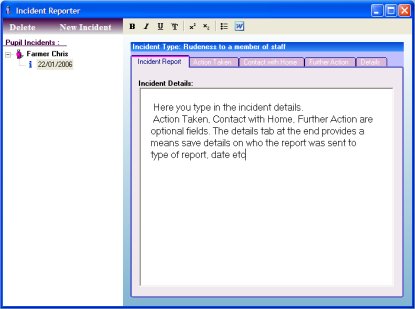
Incident Reporter
This utility allows you to keep records of individual incidents for specific pupils. When you add an incident, just fill in the details of the incident and then write the report. If you wish to add another incident for a pupil that already has a previous incident then just select that pupil and click the add incident button which will automatically include the pupil details in the new incident. The display will then show that this pupil had 2 or more incidents entered and you can select which one to edit or print via the date of the incident. In order to print an Incident Report select the Export to Word option and then format the word document in any way you wish.